TXTWRK: The Complete Platform Guide
Communities, Knowledge, Work, Business and Connected Infrastructure
The Friday Update — 23 October 2026
Nearly three years of development. A 1,000-year vision. One connected platform.
Welcome to TXTWRK
TXTWRK is being developed as a connected environment for people, communities, organisations, businesses and projects.
It combines social communication with practical tools for organising information, working together, developing ideas, managing resources and connecting existing websites.
The platform is built around a simple belief:
A digital community should be able to do more than communicate. It should be able to build, organise, collaborate and preserve the value of its work.
TXTWRK brings together several major areas:
1. Personal profiles, identity and social connections.
2. Posts, discussions, topics and community activity.
3. Checklists and collaborative workspaces.
4. Connected Servers and file infrastructure.
5. Direct and group messaging.
6. Business and organisational participation.
7. Products, purchases, investments and subscriptions.
8. Events, calendars, locations and education.
9. Community resources, directories and libraries.
10. APIs, integration tools and developer infrastructure.
11. Notifications, reporting, moderation and safety.
12. Long-term knowledge and community development.
These areas are supported by the platform's expanding
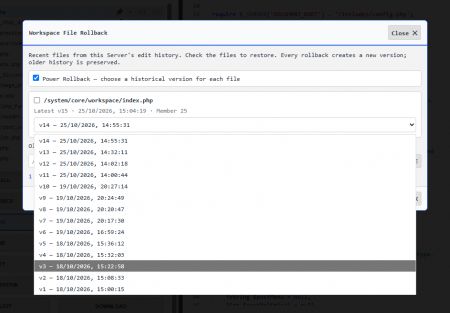
/system/core/ architecture.
This guide introduces what users can explore, explains the principal workflows and highlights the latest development work.
---
PART ONE — GETTING STARTED
1. Create your TXTWRK identity
Your account is the starting point for participation.
TXTWRK supports personal profiles, usernames, profile images, account information and connections between members.
How to begin
1. Visit
https://txtwrk.com.
2. Register or sign in.
3. Open your profile.
4. Review your account information and profile presentation.
5. Explore the available profile, connection and participation controls.
6. Begin discovering people, topics and communities.
The platform includes functionality for profile editing, following, account connections, user information, profile media and additional profile-related settings.
Why it matters: A profile gives contributions an identifiable place within the wider TXTWRK community.
2. Discover the platform
TXTWRK contains search and discovery functionality for posts, users and topics.
You can use discovery to find conversations, people and subjects relevant to your interests.
The platform also includes location-based data structures and tools that can help organise information geographically.
Getting started: Search for a subject you care about, explore the relevant content and follow the people or discussions you want to revisit.
3. Build your network
TXTWRK includes following and connection functionality.
Members can develop relationships around shared interests, projects, business activities and community participation.
Connections are especially useful when a conversation develops into an ongoing collaboration.
---
PART TWO — COMMUNICATION AND COMMUNITY
4. Posts and discussions
Posts are one of TXTWRK's central ways of sharing information.
The platform includes systems for creating and retrieving post content, working with images and videos, following posts, managing topics and reporting content.
A post might introduce:
•An idea or proposal.
•A community announcement.
•A project update.
•A question or discussion.
•A business opportunity.
•A research subject.
•An event or activity.
How to participate
Find a post that interests you, read its context and use the available interaction controls to contribute.
Where supported, attach relevant media or link to related material.
Good practice: Keep the main subject clear so that later contributions remain understandable.
5. Topics and subject discovery
Topics help organise participation around subjects rather than leaving every discussion isolated.
TXTWRK includes topic-related functionality for posts, Checklist comments and replies, together with topic search and management components.
Topics are useful for connecting conversations about science, technology, business, education, local communities, culture and other fields.
They also support the platform's wider ambition to connect related knowledge across different types of content.
6. Replies and Threadlets
TXTWRK's discussion model can extend beyond a simple sequence of comments.
Within Checklists, replies can contain
Threadlets: deeper conversational contributions connected to a particular reply.
This allows a discussion to develop in context.
For example:
Checklist item → Comment → Reply → Threadlet → Further Threadlet
Threadlets are useful when a reply generates its own detailed discussion.
Recent development work has strengthened direct linking, media handling and moderation of these conversations.
7. Direct and group messaging
TXTWRK includes messaging functionality for individual conversations and groups.
The source system contains components for direct chat, group creation, group membership, message reading, media uploads, audio storage and message management.
How communities can use messaging
Direct messages can support individual coordination.
Group conversations can help members organise around a shared project or purpose.
Messaging can complement public posts and Checklists when a smaller conversation is more appropriate.
The platform also includes Connected Server-related messaging settings and communication infrastructure.
8. Notifications and All Activity
Notifications help members identify relevant interactions and developments.
All Activity provides a broader way of recording and presenting actions associated with participation.
The platform includes notification retrieval, read status, notification preferences and activity-related APIs.
These systems help users follow developments without manually revisiting every conversation.
Recent moderation improvements also address the cleanup of activity and notification records when Checklist contributions are hidden or deleted.
---
PART THREE — CHECKLISTS AND COLLABORATIVE WORK
9. Understanding Checklists
Checklists are among TXTWRK's most substantial collaborative features.
They bring structured items together with discussion, participation, supporting files and ongoing activity.
A Checklist can support:
•A community project.
•A research initiative.
•A development plan.
•An organisation's work programme.
•An educational activity.
•A creative production.
•A long-running public-interest subject.
Unlike a conventional task list, the TXTWRK Checklist system connects the work itself with conversations and supporting resources.
10. Checklist items
Each Checklist can contain individual items representing areas of work or subjects requiring attention.
The system includes item editing, details, topics, relevance controls and associated discussions.
Practical workflow
1. Open a Checklist.
2. Select an item.
3. Read the item's details and associated contributions.
4. Add a comment or reply where permitted.
5. Follow subsequent discussion and updates.
6. Use linked resources where available.
The item becomes a central point for both the work and its history.
11. Checklist comments and replies
Checklist comments provide a way to contribute directly to an item.
Replies allow other participants to respond to a particular comment.
The platform also supports acknowledgements, pinned contributions, topic associations and reporting functionality.
This creates a more organised discussion model than a single undifferentiated comment feed.
12. Checklist participation and applications
TXTWRK includes functionality for Checklist applications, applicant responses, member management and applicant messaging.
This allows Checklist participation to involve more than simply reading public content.
Depending on the Checklist's configuration and permissions, people may apply to participate and gain access to relevant collaborative capabilities.
13. Checklist moderation
The platform includes moderation controls for Checklist comments, replies and Threadlets.
These include hiding, soft deletion, reporting and other administrative actions.
Recent improvements support:
•Preserving underlying contributions and relationships.
•Removing associated activity and notifications where appropriate.
•Moderating individual Threadlets.
•Moderating an entire descendant Threadlet branch.
•Keeping contributions above a moderated branch unaffected.
This approach helps communities maintain readable discussions while preserving important structural information.
14. Checklist templates and reuse
The source system includes Checklist templates, design controls, copying functionality and downloadable data components.
These can support repeatable work across similar projects.
For communities, reusable structures can reduce the effort involved in starting a new initiative.
---
PART FOUR — CONNECTED SERVERS AND FILES
15. Connect an existing website
TXTWRK's Connected Server system is intended to make existing infrastructure useful within the platform.
A community may already operate a website with files, folders and resources.
Instead of rebuilding everything from scratch, its owner can connect that Server to TXTWRK.
The platform includes Server registration, verification, ownership checks, settings and supporting APIs.
Typical setup
1. Open the Server management area.
2. Add the website or Server.
3. Complete the required verification process.
4. Configure its supported capabilities.
5. Review which files and folders may be made public.
6. Connect the Server to relevant TXTWRK functionality.
The exact deployment requirements depend on the connected Server's endpoint and configuration.
16. Public Files / Folders
Server owners can specify which paths should be publicly accessible through TXTWRK's supported directory integrations.
The latest update introduces three complementary settings:
Public folders — directories available for public browsing.
Public files — individual files available for public browsing.
Excluded files / folders — paths removed from public TXTWRK directory access, even when they fall inside a public folder.
For example:
Public folder: /
Excluded paths:
•/includes/
•/.env
•/private/
•/TXTWRK.php
This can make it easier to integrate an existing root-built website while excluding selected internal resources.
Security reminder: These exclusions control TXTWRK directory visibility. They do not block direct requests to the connected website. Sensitive resources must also be protected by the Server's own authentication and access controls.
17. Checklist File Explorer
The Checklist File Explorer connects a Checklist workspace with files on its associated Server.
The system distinguishes between the Server owner, authorised Checklist members and public visitors.
Depending on permissions, users may be able to browse directories and perform supported file operations.
The interface includes controls for navigating the Server root, returning to the Checklist root, opening a member directory, refreshing the listing and filtering visible entries.
Supported management components include creating folders and files, renaming, moving and deleting resources.
The directory system also contains reference-synchronisation functionality to help keep related references aligned after file operations.
18. Media and connected resources
TXTWRK includes support for images, video, audio and file attachments across different areas of the platform.
Connected media can link discussions with resources hosted on an associated Server.
Recent improvements have focused on media rendering and handling within Checklist conversations and Threadlets.
For community projects, this allows supporting resources to remain associated with the discussion that gives them meaning.
---
PART FIVE — BUSINESS, PRODUCTS AND INVESTMENT
19. Business profiles and participation
TXTWRK includes business-oriented profile and application components.
The platform source contains business registration, business profile, business intelligence and business application functionality.
These systems establish a foundation for businesses and organisations to participate alongside individuals and communities.
Potential uses include presenting organisational information, engaging with relevant topics and connecting opportunities to community discussion.
20. Products and purchases
TXTWRK contains a substantial product-related subsystem.
The source includes product retrieval, product APIs, purchase availability checks, purchase reservations and purchase recording.
It also contains a
Product Logbook system with functionality relating to product details, claims, history, buying and resale.
This indicates an approach in which products can have associated records and activity rather than existing only as isolated listings.
The availability of individual purchasing features depends on the relevant product and account configuration.
21. Investments and funding
Investment-related functionality is another major part of TXTWRK's architecture.
The system includes components for:
•Retrieving investment information.
•Recording investments.
•Reserving and cancelling investment opportunities.
•Checking investment status.
•Investment approvals.
•Funding details.
•Investment-related APIs.
This creates a basis for connecting financial and developmental opportunities with the wider platform.
Users should review the specific terms and status of any opportunity before treating it as available or actionable.
@TXTWRK:Invest! represents a way to bring ideas and opportunities into the TXTWRK investment conversation.
The concept can be relevant across different topic types, including business, science, education, technology, culture, community infrastructure and research.
A useful contribution explains:
•What the opportunity is.
•Why it matters.
•Who could benefit.
•What resources or collaboration may be required.
•What long-term value it could create.
The tag is a call for attention and discussion, not an automatic funding decision.
23. Subscriptions and account tiers
TXTWRK includes account-tier, subscription and payment-related functionality.
The source contains subscription processing, subscription status, profile subscription records and account-tier management components.
These systems can support different types of access or commercial participation where enabled.
Users should consult the actual account interface for current terms, availability and pricing.
---
PART SIX — LOCATIONS, EVENTS AND EDUCATION
24. Locations and geographical context
TXTWRK contains an extensive location subsystem.
It includes location records, country-level information, location search and suggestions, geographic relationships, addresses and location-linked content.
This can help connect digital participation to real places.
For communities, geographical context is particularly useful when a project relates to a neighbourhood, region, country or physical venue.
25. Events and calendars
The platform includes event-related APIs, event retrieval, calendar data and calendar-management components.
Events can help communities connect ongoing discussion with activities occurring at particular times.
The broader data structure also supports event information organised by location and subject.
26. Education and learning
TXTWRK includes education-related components and learning-oriented calendar data.
These establish a foundation for connecting knowledge, events and community participation.
The long-term opportunity is to make learning part of ongoing community activity, rather than separating it entirely from practical projects and discussion.
---
PART SEVEN — COMMUNITY RESOURCES AND STRUCTURED INFORMATION
27. Directories and community libraries
The platform includes directory creation, file retrieval, directory management and community library components.
These provide infrastructure for organising and accessing resources.
A directory can help people find relevant information, while a library can provide a more enduring place for material connected to a community.
28. Structured linking and relationships
TXTWRK includes a substantial linking subsystem, with APIs for retrieving, updating, rendering and structuring linked information.
The source also contains structured data fields associated with community roles, community impact, locations and other classifications.
These systems are significant because they offer ways to connect information beyond simple text matching.
Over time, structured relationships can make it easier to discover how people, places, subjects and projects relate to one another.
29. Questionnaires, feedback and voting
TXTWRK includes questionnaire management, profile questionnaire components, feedback and question-voting functionality.
These can support collecting opinions and structured responses.
Such tools are useful when communities need more than an open discussion and want to gather information in a consistent form.
30. Audio and live participation
The source includes audio-room actions, Checklist-related audio-room components, audio updates and discussion-audio functionality.
Audio offers another mode of participation alongside written discussion and media attachments.
Specific room capabilities and availability should be confirmed through the live interface.
---
PART EIGHT — DEVELOPERS AND THE API KIT
31. Understanding the TXTWRK API architecture
The API toolkit is a key part of the platform's technical direction.
The source includes APIs for:
•Checklist and Server integration.
•Directory retrieval and management.
•Events and calendars.
•Activity records.
•Structured linking.
•Locations.
•File uploads.
•Server-side operations and reference synchronisation.
The platform also includes Server endpoint templates and supporting runtime components.
32. Why this matters for communities
Many communities already have websites, file stores and established workflows.
An API-based approach offers a way to connect those resources with TXTWRK without requiring every organisation to adopt the same infrastructure.
A developer might use the available integration components to connect an existing website with a Checklist workspace or make approved resources accessible through TXTWRK.
The important principles are:
Ownership: Communities should understand which infrastructure they control.
Interoperability: Different systems should be able to communicate through defined interfaces.
Permissions: Integration should not bypass access controls.
Continuity: Existing resources should remain useful as the platform develops.
33. Getting started as a developer
A practical development workflow is:
1. Review the Connected Server setup.
2. Identify the relevant Server endpoint and deployment requirements.
3. Complete ownership verification and authentication configuration.
4. Test the supported operations with non-sensitive resources.
5. Configure public directory grants and exclusions.
6. Connect the Server to a suitable Checklist or workspace.
7. Confirm access from different account and permission levels.
8. Review logs, errors and integration behaviour before wider use.
Important: The existence of an API file does not itself establish that it is a documented, stable or publicly supported endpoint. Developers should use the published integration contract for the specific functionality they intend to deploy.
---
PART NINE — SAFETY, PERMISSIONS AND TRUST
34. Moderation and reporting
TXTWRK includes reporting systems for posts, Checklist comments and replies, together with safety-related functionality.
Members should use the available reporting tools when content requires review.
Administrators and moderators should apply the permissions appropriate to their responsibilities.
35. Access and ownership
Access can differ between public visitors, ordinary members, Checklist contributors, moderators, Server owners and administrators.
The Connected Server model makes this especially important.
A resource being visible in one context does not necessarily mean every user should be able to modify it.
36. Preserving contribution history
Recent Checklist and Threadlet work reflects an important distinction between removing content from ordinary display and permanently destroying its underlying records.
Where supported, moderation can preserve original relationships and records while controlling visibility.
This is especially relevant to long-running communities that need to understand how decisions and discussions developed.
---
PART TEN — THE FRIDAY UPDATE
37. What has changed recently?
The latest development work has concentrated on connecting the platform's different systems more effectively.
Platform structure
Continued consolidation around
/system/core/, providing a clearer home for shared functionality, APIs, workspaces and supporting services.
Connected Servers
Improved support for existing websites, including root-level public directory configuration and explicit file/folder exclusions.
Checklist directories
Enhanced file exploration, workspace permissions, directory navigation and file-reference handling.
Threadlets
Improved deep linking, moderation, branch handling and media integration.
Checklist moderation
Updates to comment and reply handling, with associated activity and notification cleanup.
Media
Refinements to connected media rendering and supported attachments.
Reliability
Further work on JavaScript compatibility, response handling, error reporting and directory loading.
These updates are part of a continuing engineering process. Individual fixes require deployment and live verification before they can be considered fully resolved.
---
PART ELEVEN — OUR 1,000-YEAR DIRECTION
38. Why think 1,000 years ahead?
TXTWRK's 1,000-year horizon is a principle for thinking about long-term value.
It encourages us to ask whether today's systems can help future communities understand the work, decisions and knowledge of those who came before them.
That means thinking about:
•Preserving context.
•Keeping information understandable.
•Supporting independent communities.
•Designing adaptable infrastructure.
•Building relationships between knowledge and practical work.
•Maintaining continuity through technological change.
The aim is not to promise that today's software will remain unchanged for a millennium.
It is to make long-term usefulness a continuing priority.
39. Nearly three years of TXTWRK
As TXTWRK approaches its third year, the scale of its ambition is becoming more visible.
The platform now brings together systems for communication, collaboration, business activity, investment, structured information, Server integration and community participation.
The challenge ahead is to make those capabilities increasingly accessible, reliable and understandable.
This Friday is therefore both a milestone and a starting point.
A milestone because of the substantial work already completed.
A starting point because the value of the platform will ultimately be measured by what people and communities can do with it.
---
A SIMPLE GUIDE TO YOUR FIRST TXTWRK PROJECT
For someone arriving at TXTWRK for the first time, the following journey brings the major concepts together.
Step 1 — Join TXTWRK. Create an account and establish your profile.
Step 2 — Discover a subject. Search for a person, topic, post or community relevant to your interests.
Step 3 — Participate. Contribute to a discussion or follow an existing project.
Step 4 — Explore a Checklist. Open a Checklist item, read its contributions and understand how work is organised.
Step 5 — Collaborate. Where authorised, apply to participate, contribute replies and engage in deeper Threadlet discussions.
Step 6 — Connect resources. If you own a website or Server, explore the Connected Server setup and configure access appropriately.
Step 7 — Organise supporting files. Use the available Checklist directory features within your permissions.
Step 8 — Explore the wider ecosystem. Discover business profiles, products, investment opportunities, events, locations and other supported platform areas.
Step 9 — Develop your network. Connect with people who share your interests or work.
Step 10 — Think long term. Consider how your contributions could remain valuable beyond the immediate conversation.
---
OUR MESSAGE TO THE COMMUNITY
TXTWRK is not simply about posting information. It is about connecting people with the ability to do something meaningful with that information.
A conversation can lead to a Checklist.
A Checklist can become a collaborative project.
A project can connect to real files, people, locations and resources.
A community can bring its existing website into that environment.
An idea can become an opportunity for development, learning, investment or wider participation.
This is the connected future we are working towards.
Nearly three years into the journey, we remain committed to shaping a platform that serves today's communities while keeping future generations in mind.
TXTWRK — Connect. Contribute. Collaborate. Build for the future.
@TXTWRK:Invest!
Friday, 23 October 2026
---
PART TWELVE — HOW TXTWRK COMPARES WITH GITHUB, FACEBOOK WORKPLACE AND GOOGLE WORKSPACE
40. Different platforms, different foundations
TXTWRK's approach brings together social participation, practical collaboration, Connected Servers, structured community knowledge and a publicly accessible development environment.
To understand this direction, it helps to compare TXTWRK with established platforms serving different needs.
GitHub is primarily a software development and code collaboration platform.
Facebook Workplace was designed for internal workplace communication and organisational communities. Meta discontinued Workplace as a normal operating product after 31 August 2025, with deletion of customer data scheduled for 31 May 2026.
Google Workspace provides business productivity and communication applications, including Gmail, Drive, Docs, Sheets, Meet and Calendar.
TXTWRK is developing a broader community-oriented model that combines social participation, Checklists, Connected Servers, structured discussions, business functionality and developer integrations.
The aim is not to claim that these platforms are identical or interchangeable. It is to explain the different problems they are designed to solve.
41. Platform comparison
Comparison note: TXTWRK entries describe the platform architecture and stated direction; individual live workflows may vary. Other platform entries describe their general product focus, not an exhaustive feature audit.
42. TXTWRK and GitHub — Public code, public learning
GitHub has played a major role in making open-source software collaboration accessible.
Developers can publish repositories, review changes, submit pull requests, report issues and maintain software projects together.
TXTWRK approaches public collaboration from a different starting point.
Its focus is not limited to software repositories.
It connects technical development with community discussions, Checklists, files, resources, organisations and opportunities.
TXTWRK's own public, working development approach is especially relevant here.
We want people to be able to observe how systems are built, understand how different components connect and learn from practical implementations.
Our growing
/system/core/ structure and API kit represent an effort to organise this work into a more coherent technical foundation.
The distinction: GitHub specialises in managing code collaboration. TXTWRK aims to connect technical development with the broader community and practical work surrounding it.
Being publicly viewable or downloadable is not, by itself, the same as being open source under a recognised licence. Public TXTWRK code should therefore include clear licensing, contribution instructions and security guidance so developers know exactly how they may reuse it.
43. TXTWRK and Facebook Workplace — Beyond internal communication
Facebook Workplace focused on communication within organisations.
It brought familiar social interaction patterns into the workplace, helping employees communicate through groups, posts and messaging.
Its discontinuation illustrates an important issue for organisations that depend on a single hosted communication product: service continuity matters.
TXTWRK's Connected Server direction addresses a related concern from another angle.
Communities can connect infrastructure they already operate rather than placing every resource inside one centrally hosted workspace.
A Checklist can organise the work, while the associated Server can continue hosting relevant resources.
This does not make TXTWRK independent of every central service or eliminate hosting risks. It does, however, establish a model in which connected resources can remain under the Server owner's control.
The distinction: Workplace was primarily an internal communication product. TXTWRK is pursuing a wider combination of public communities, structured collaboration and connected infrastructure.
44. TXTWRK and Google Workspace — Connecting productivity with communities
Google Workspace is a mature collection of productivity applications.
Its strength lies in tools such as shared documents, spreadsheets, email, calendars, meetings and cloud storage.
TXTWRK does not need to replicate every office application to serve a different purpose.
Its Checklists, discussions, Threadlets and Connected Servers offer a model in which people can organise projects and connect existing resources.
For example, a community could maintain documents on its own Server, connect the appropriate directories to a Checklist and discuss the work through TXTWRK.
The value lies in connecting resources with participation and context.
The distinction: Google Workspace specialises in productivity applications. TXTWRK aims to organise broader community activity around work, knowledge, discussions and independently hosted resources.
45. Why our live, public, open-source learning direction matters
TXTWRK's development philosophy places value on making technical work understandable and useful.
A public working system can help people learn from real implementation choices, rather than relying exclusively on abstract demonstrations.
The API kit supports this direction by offering a route for existing websites and community systems to connect with TXTWRK.
The
/system/core/ restructuring provides a more organised foundation for that development.
Connected Servers allow communities to bring their own infrastructure.
Checklists provide structured places for collaborative work.
Threadlets preserve conversational depth.
Together, these elements help explain the kind of platform we are building.
Our long-term objective is to make participation meaningful for both technical and non-technical communities.
Public code. Practical learning. Connected infrastructure. Community development.
These principles are intended to reinforce one another.
46. The bigger difference: thinking beyond the next product cycle
The most significant difference may not be any individual feature.
It is the question guiding the platform.
What would digital infrastructure look like if we continually considered its value over the next 1,000 years?
For TXTWRK, that means keeping attention on continuity, knowledge, relationships, independent infrastructure and the ability of future communities to build on existing work.
GitHub demonstrates the importance of collaborative software development.
Google Workspace demonstrates the value of integrated productivity.
Workplace's history demonstrates why organisations should consider continuity and dependence on particular services.
TXTWRK can learn from these examples while developing its own identity.
Our ambition is to connect communities with the tools, resources and opportunities needed to build lasting value.
---
FINAL WORD — NEARLY THREE YEARS, WITH 1,000 YEARS IN MIND
This Friday represents more than another platform update.
It reflects nearly three years of developing an increasingly connected system for people, communities, organisations and projects.
From posts and discussions to Checklists and Threadlets.
From business and investment systems to events, education and community libraries.
From Connected Servers to a growing API toolkit.
From everyday participation to the preservation of knowledge over generations.
TXTWRK is working towards a platform where people can connect, learn, contribute, collaborate and build without losing sight of the future.
We welcome people with existing websites, established communities, new ideas, technical knowledge and practical projects.
We want TXTWRK to become a place where those different contributions can connect.
And we want to continue learning publicly as the system develops.
Nearly three years of development.
One connected platform.
A 1,000-year vision.
TXTWRK — Connect. Contribute. Collaborate. Build for the future.
@TXTWRK:Invest!
Friday, 23 October 2026
























































































COMMUNITY
People